how-to-build-a-flutter-app-on-xcode-cloud
Compare original and translation side by side
🇺🇸
Original
English🇨🇳
Translation
ChineseHow to build a Flutter app on Xcode Cloud
如何在Xcode Cloud上构建Flutter应用
In this article we are going to go over how to setup Xcode Cloud to build your Flutter application for TestFlight and the AppStore.
Step 1
步骤1
Before we begin Flutter needs to be installed, and you can check by running the following:
flutter doctor -vAfter it is installed we can run the following command to create and open our Flutter project (skip down to step 2 if adding to an existing app).
mkdir flutter_ci_example
cd flutter_ci_example
flutter create .
If you need more help with creating the first project you can check out my previous blog post here.
After the project is created open it in your favorite code editor.
code .开始之前,需要确保已安装Flutter,你可以运行以下命令检查:
flutter doctor -v安装完成后,你可以运行以下命令创建并打开Flutter项目(如果是为现有应用添加配置,可直接跳至步骤2)。
mkdir flutter_ci_example
cd flutter_ci_example
flutter create .如果你在创建首个项目时需要更多帮助,可以查看我之前的博客文章此处。
项目创建完成后,在你常用的代码编辑器中打开它。
code .Step 2
步骤2
The generated files should look like the following:
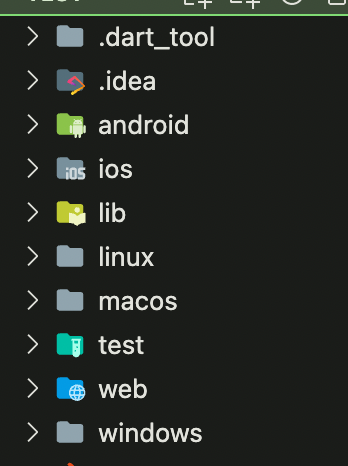
Create a new file at and update it with the following:
ios/ci_scripts/ci_post_install.sh#!/bin/sh生成的文件应如下所示:
在路径下创建一个新文件,并将内容更新为:
ios/ci_scripts/ci_post_install.sh#!/bin/shInstall CocoaPods using Homebrew.
Install CocoaPods using Homebrew.
brew install cocoapods
brew install cocoapods
Install Flutter
Install Flutter
brew install --cask flutter
brew install --cask flutter
Run Flutter doctor
Run Flutter doctor
flutter doctor
flutter doctor
Get packages
Get packages
flutter packages get
flutter packages get
Update generated files
Update generated files
flutter pub run build_runner build
flutter pub run build_runner build
Build ios app
Build ios app
flutter build ios --no-codesign
This is a file Xcode Cloud needs to run after the project is downloaded. We need to install [cocoapods](https://cocoapods.org/) for any plugins we are using and Flutter to prebuild our application.

Then run the following command which will make the script executable:
chmod +x ios/ci_scripts/ci_post_clone.sh
undefinedflutter build ios --no-codesign
这是Xcode Cloud在下载项目后需要运行的文件。我们需要安装[cocoapods](https://cocoapods.org/)来支持所使用的插件,同时安装Flutter以预构建应用。

然后运行以下命令,使该脚本具备可执行权限:
chmod +x ios/ci_scripts/ci_post_clone.sh
undefinedStep 3
步骤3
Open up the iOS project in Xcode by right clicking on the iOS folder and selecting "Open in Xcode".
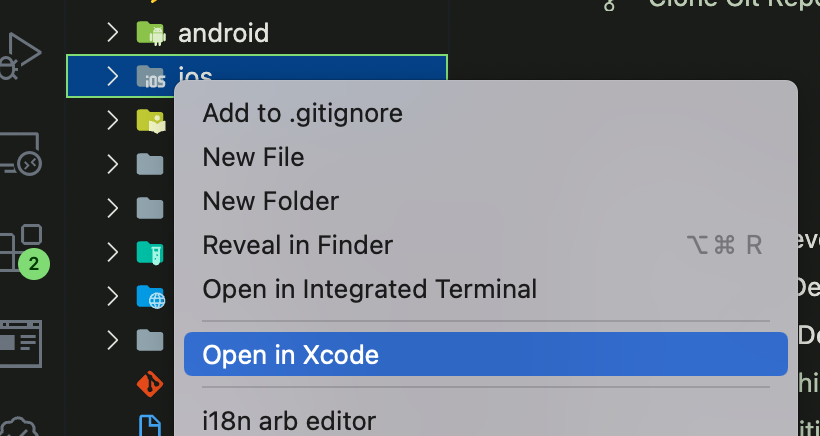
You can also open the project by double clicking on the file.
ios/Runner.xcworkspace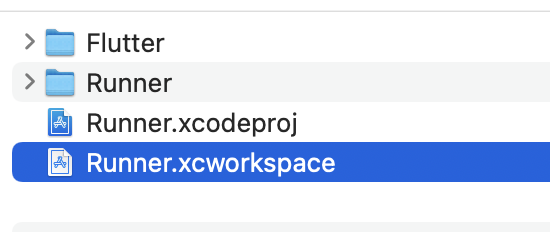
Make sure you have the latest version of Xcode Cloud install and that you have access to the beta. Create a new workflow by the menu :
Product > Xcode Cloud > Create Workflow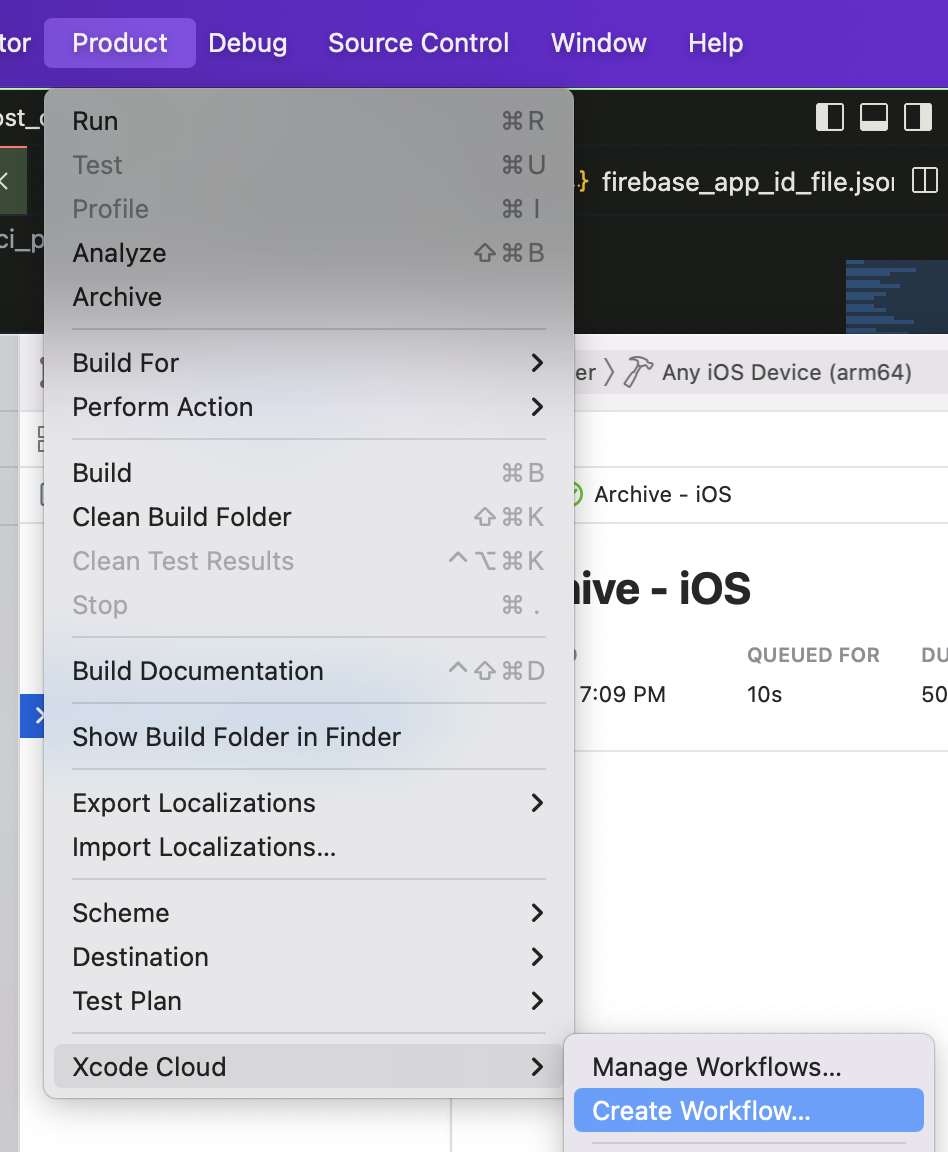
Follow the flow to add the project and choose which type of build you want.
Make sure to remove MacOS as a target in the workflow by selecting and the delete icon on the top right.
Archive - MacOSIf you want to build and release the MacOS app you will need to do that with another script in the macos folder and a workflow in that Xcode workspace.
You can create the file and update it with the following:
macos/ci_scripts/ci_post_clone.sh#!/bin/sh右键点击iOS文件夹,选择“在Xcode中打开”,从而在Xcode中打开iOS项目。
你也可以双击文件来打开项目。
ios/Runner.xcworkspace请确保你已安装最新版本的Xcode Cloud,并且拥有Beta版访问权限。通过菜单创建一个新的工作流:
Product > Xcode Cloud > Create Workflow按照流程添加项目,并选择你需要的构建类型。
请确保在工作流中移除MacOS作为目标,方法是选择,然后点击右上角的删除图标。
Archive - MacOS如果你想要构建并发布MacOS应用,则需要在macos文件夹中创建另一个脚本,并在对应的Xcode工作区中创建一个工作流。
你可以创建文件,并将内容更新为:
macos/ci_scripts/ci_post_clone.sh#!/bin/shInstall CocoaPods using Homebrew.
Install CocoaPods using Homebrew.
brew install cocoapods
brew install cocoapods
Install Flutter
Install Flutter
brew install --cask flutter
brew install --cask flutter
Run Flutter doctor
Run Flutter doctor
flutter doctor
flutter doctor
Enable macos
Enable macos
flutter config --enable-macos-desktop
flutter config --enable-macos-desktop
Get packages
Get packages
flutter packages get
flutter packages get
Update generated files
Update generated files
flutter pub run build_runner build
flutter pub run build_runner build
Build ios app
Build ios app
flutter build ios --no-codesign
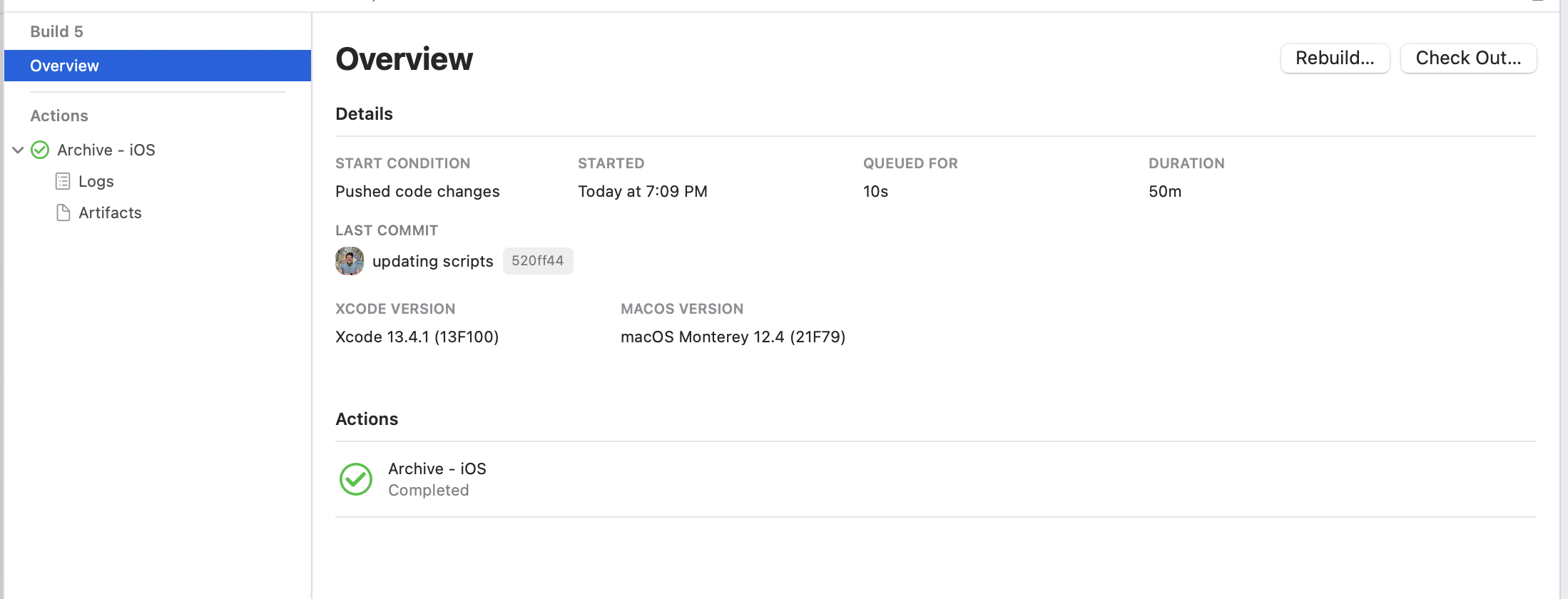
If all goes well it will look like the following after a successful build:
flutter build ios --no-codesign
如果一切顺利,成功构建后界面将如下所示:
